> ## Documentation Index
> Fetch the complete documentation index at: https://docs.ragkit.com/llms.txt
> Use this file to discover all available pages before exploring further.
# Introduction
> Production quality RAG in minutes
Ragkit is a managed RAG platform that helps you build AI products quickly. Interact with Ragkit using the [API](https://api.ragkit.com) and web-based [dashboard](https://ragkit.com/dashboard).
The Ragkit API is in Beta. We do our best to fix bugs quickly, reach out through your assigned Slack channel, or [support@ragkit.com](mailto:support@ragkit.com).
# Getting Access
Accessing the Ragkit platform involves creating an organization and then generating a secure API key.
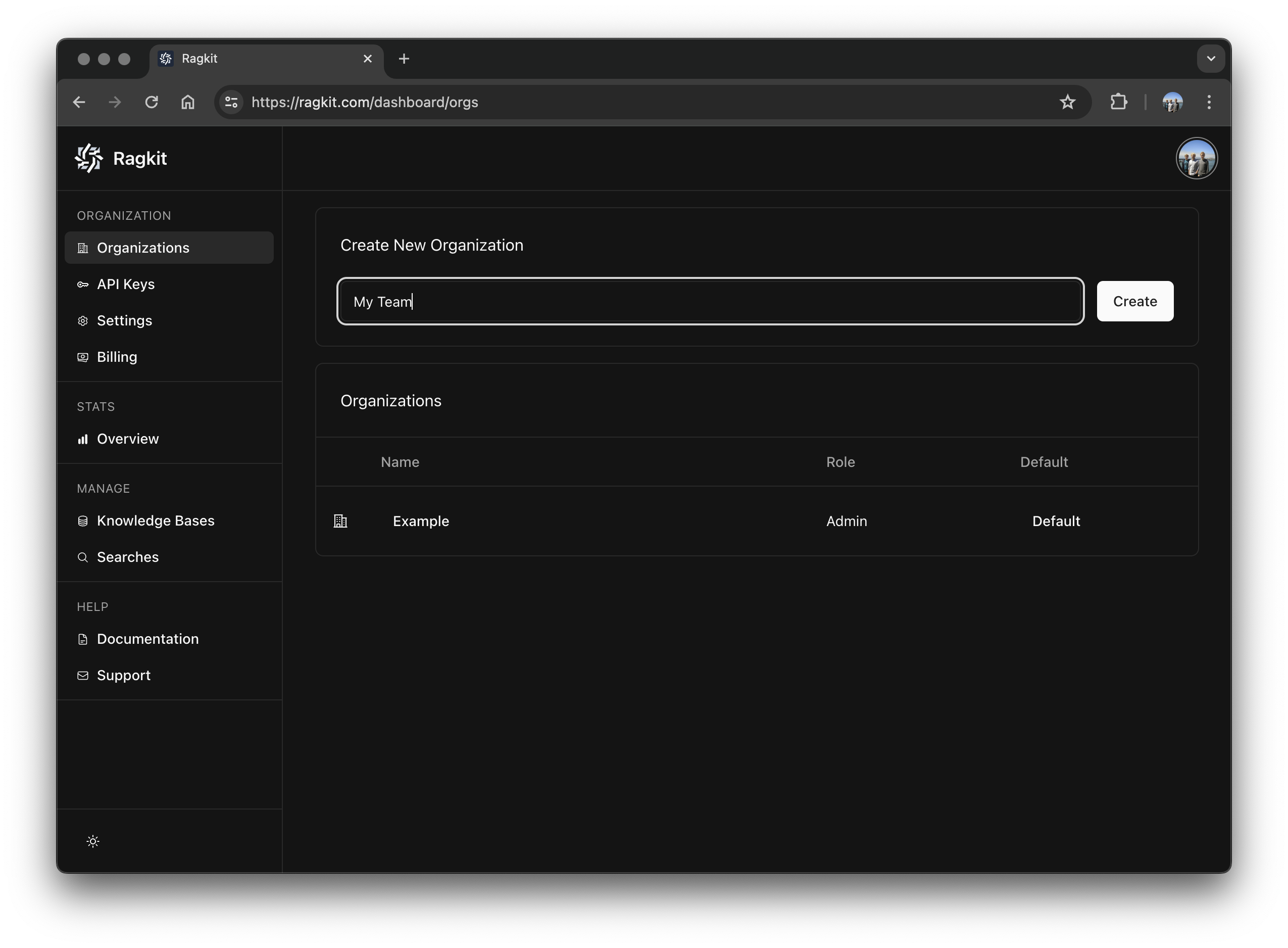
After signing in, make an organization for your team and invite your team members in the [dashboard](https://ragkit.com/dashboard/orgs). Things like billing, rate limits, and data access are scoped to an organization.
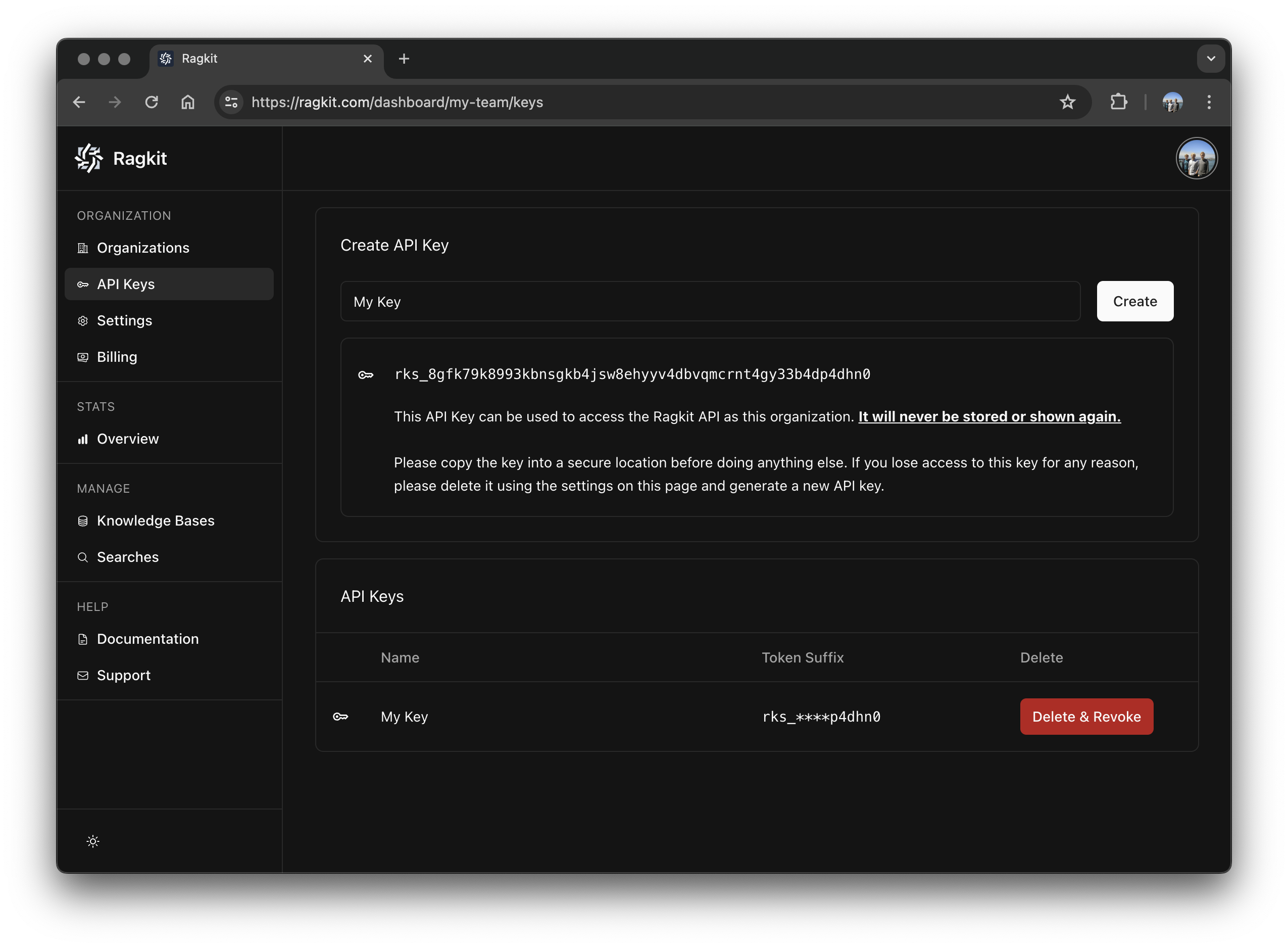
 An API key is used to securely access the Ragkit API as your organizaiton. Make sure to store it in a secure location. We never store your API key and it will not be shown again.
 Now you're ready to send requests! Keep reading to learn the basics of the Ragkit Platform, or head on over to the API documentation.
During the closed beta requests will fail until API access is granted. Request access at: [https://ragkit.com/beta](https://ragkit.com/beta).
# Platform Basics
The Ragkit platform is made up of commands than can be composed together to build powerful applications. Each command has a narrow purpose and adheres to the [Unix philosophy](https://en.wikipedia.org/wiki/Unix_philosophy).
All data in the platform is siloed according to a `namespace`. Data cannot cross a `namespace` boundary implicitly. Organizations may create many `namespace`s, and in multi-tenant applications it's common to create a `namespace` for each tenant.
**Common commands:**
Creates a new `namespace`.
Lists all `namespace`s in an organization.
An `agent` is a way to group data and tool access. `agent`s can be very specific (an expert with documents about a single domain), or broad (an `agent` that routes request to other `agent`s in the `namespace`).
**Common commands:**
Creates a new `agent`.
Request output from an `agent`.
Documents contain information that you want to be processed and made available to a specific `agent` (Text, PDFs, Word Documents, Presentations, Website URLs, etc.).
**Common commands:**
Makes a `document` available to an `agent`.
## All Commands
To see all available commands head on over to the API documentation.
Now you're ready to send requests! Keep reading to learn the basics of the Ragkit Platform, or head on over to the API documentation.
During the closed beta requests will fail until API access is granted. Request access at: [https://ragkit.com/beta](https://ragkit.com/beta).
# Platform Basics
The Ragkit platform is made up of commands than can be composed together to build powerful applications. Each command has a narrow purpose and adheres to the [Unix philosophy](https://en.wikipedia.org/wiki/Unix_philosophy).
All data in the platform is siloed according to a `namespace`. Data cannot cross a `namespace` boundary implicitly. Organizations may create many `namespace`s, and in multi-tenant applications it's common to create a `namespace` for each tenant.
**Common commands:**
Creates a new `namespace`.
Lists all `namespace`s in an organization.
An `agent` is a way to group data and tool access. `agent`s can be very specific (an expert with documents about a single domain), or broad (an `agent` that routes request to other `agent`s in the `namespace`).
**Common commands:**
Creates a new `agent`.
Request output from an `agent`.
Documents contain information that you want to be processed and made available to a specific `agent` (Text, PDFs, Word Documents, Presentations, Website URLs, etc.).
**Common commands:**
Makes a `document` available to an `agent`.
## All Commands
To see all available commands head on over to the API documentation.